

If you have gone looking for free business listing sites, you have probably found a page offering 200 of them. Maybe 270. The list is usually a table, the table is usually sorted by domain authority, and roughly none of it tells you which ones a real customer will ever see.
This is a shorter list, and it is opinionated. Fifteen platforms, sorted into three tiers, with an honest note on each about who it suits and who should skip it. Three of them genuinely matter. The rest range from useful in specific trades to twenty minutes of housekeeping. We will tell you which is which.
What a business listing actually does for you
A business listing is a public profile of your company on someone else's platform. It carries your name, address, phone number, hours, website and usually a category and some photos.
Two things happen when you create one. Customers browsing that platform can find you, and search engines get another independent confirmation that your business exists and is described consistently across the web.
That second point gets oversold constantly. Directory listings are a discovery and consistency signal. They are not a major ranking lever, and any page telling you that submitting to 100 directories will move you up the results is selling something. Consistency helps. Volume, past a point, does nothing.
Adding a listing and claiming a listing are not the same thing
Plenty of directories generate listings automatically by pulling data from larger platforms, and many let any member of the public add one. That means your business may already be listed somewhere, possibly with the wrong phone number, possibly collecting reviews you have never seen.
Creating a listing puts the information there. Claiming it proves you own the business and gives you the ability to edit details and reply to reviews. If you only do one thing after reading this, go and claim what already exists before you create anything new.
How these fifteen were chosen
Four criteria, applied consistently.
The listing has to be genuinely free to create and to claim, not free to submit and then paywalled to edit. A real person has to be able to find you there, either by browsing the platform or through search. Signing up must not commit you to a sales cadence you cannot escape. And the platform has to either send traffic or distribute your data somewhere that does.
That is why this list is fifteen and not two hundred. Most entries on the enormous lists fail at least two of those tests. Some fail all four and exist only to sell submission services.
Tier 1: the three you cannot skip
These three cover the overwhelming majority of places a customer or an AI assistant will look for a local business. Everything after this section is optional. These are not.
1. Google Business Profile
Google matters more than the other fourteen on this list combined, and it is not close.
A Google Business Profile is what puts you in Google Maps and in the local pack, the three map results that sit above the ordinary blue links on local searches. Google also serves local results even when the searcher does not type a location, because it infers one. And a large share of the other directories in this article pull their data from Google, so getting this right propagates outward without you doing anything.
Set aside forty-five minutes. Fill in every field, not the ones you feel like doing. Choose your primary category as the thing a customer would actually type, not the most impressive-sounding option. Add real photographs of the premises rather than stock images. Verification takes anywhere from minutes to a couple of weeks depending on the method you are offered.
If you do nothing else this quarter, do this.
2. Bing Places for Business
Bing's own search share is modest, and on that basis alone this would sit in tier three.
It sits in tier one because of what reads from Bing's index. Windows Search, Edge and Microsoft's Copilot all draw on it, and ChatGPT's search feature has used Bing as a primary source. When someone asks an AI assistant to recommend a plumber in their city, an unclaimed or stale Bing record is what the assistant is working from.
The reason to do it now rather than never is that Bing Places offers an import from Google Business Profile during setup, and an optional periodic sync afterwards. Connect the Google account that owns your profile and Bing pulls across your name, address, phone, hours, categories and photos in one action. That turns an hour of typing into about fifteen minutes.
3. Apple Business Connect
Apple Maps is the default map application on every iPhone, and Apple's place data feeds other products including some third-party search interfaces.
Apple Business Connect is the free dashboard for controlling how your business appears across Apple Maps and related surfaces, including your place card, photos and hours. Apple states that claimed businesses receive 30% more views than unclaimed ones, which is Apple's own figure rather than independent research, but the direction of it is not controversial.
If you have already completed your Google profile, most of the information transfers by copy and paste. Budget an hour, less if you are organised.
Tier 2: worth an hour each
These depend entirely on your industry and where your customers already spend time. Pick two or three. Do not do all seven out of completionism.
4. Facebook Business Page
Still a functioning local directory alongside everything else it is. Set the page category to a local business or place so you appear when users filter for places rather than people or posts, add your location, and keep the hours accurate.
Best for anything with a walk-in element, and for businesses whose customers already share and tag. Least useful for B2B services.
5. Yelp
Yelp is genuinely useful in some categories and genuinely irritating in most. Both things are true and most articles only mention one.
The useful part: Yelp reviews surface on Apple Maps, and voice assistants have long drawn on Yelp data for local business queries. In restaurants, bars, salons and some home services, a thin Yelp presence is noticeable.
The irritating part: creating a free listing tends to generate persistent sales calls about advertising, and Yelp's review filter has removed legitimate reviews often enough that business owners complain about it constantly. Go in knowing that.
6. Nextdoor
The strongest platform on this list for genuinely neighbourhood-level trades. Cleaners, gardeners, handymen, dog walkers, tutors, independent childcare. Recommendations on Nextdoor come from people who live nearby, which is close to how word of mouth already worked in these categories.
Almost worthless if your customers are not residential and local.
7. Better Business Bureau
The basic listing is free. Accreditation, the part with the badge, is paid and runs to several hundred dollars a year depending on business size.
A free BBB listing is worth having because the profile ranks for branded searches and because a missing BBB record looks odd to a certain kind of cautious customer. Accreditation is a separate commercial decision and this article is about the free part.
8. Clutchpilot
Worth being straight about where this fits, given whose blog you are reading.
Clutchpilot is a review directory. Listing is free, there is no paywall on being found, and profiles cover a broad range of categories rather than one vertical. It suits businesses that want a review destination they control, particularly those whose customers are comparing several providers before committing.
It is not a substitute for Google, and nobody should treat it as one. It is a supplementary profile, in the same bracket as the other platforms in this tier. If you have not done tier one yet, close this tab and go do that instead.
You can browse the business categories to see whether yours is well represented before deciding. For a fuller comparison against the bigger review platforms, we covered the main Trustpilot alternatives separately, and there is a direct Yelp and Google Reviews comparison if that is the decision you are weighing.
9. Your local Chamber of Commerce
Membership usually costs money, but many chambers list local businesses in a free public directory regardless, and some run free tiers for small members.
The listing itself sends modest traffic. The value is that a chamber page is a genuinely local, genuinely relevant citation, which is a different quality of signal from a generic national directory.
10. Industry-specific directories
One relevant niche directory beats twenty general ones, and it is not a close contest.
A garage should be on RepairPal. A restaurant should be on OpenTable or Resy if it takes bookings. A B2B software company should be on G2 or Capterra. A tradesperson in the UK should look at Checkatrade. A doctor should be on Healthgrades and Zocdoc.
These platforms attract people with immediate intent to buy from that exact category. That is a fundamentally different visitor from someone browsing a general directory. If you only add one platform outside tier one, make it the one your industry actually uses. Our business services directory and automotive and vehicles listings work the same way, sorted by what the business does rather than lumped together.
Tier 3: set them up once, then forget them
Low effort, low return. They cost twenty minutes each and they support consistency across the web. Do them on a slow afternoon and never think about them again.
11. Yellow Pages
Ranks for some branded and category searches, and still receives a stream of habitual traffic from older users. Free listing, aggressive upsell.
12. Foursquare
Foursquare stopped mattering as a consumer app years ago. It stays on the list because its Places data powers location features for a substantial number of third-party apps and developers, so one listing propagates quietly into places you will never see.
13. Manta
A small business directory with a free listing tier. Modest traffic, useful mostly as a consistent citation. Paid marketing services are pushed hard once you sign up.
14. MapQuest
Yes, it still exists, and its business listings still index. Twenty minutes.
15. LinkedIn Company Page
B2B only. If your customers are consumers, skip this and spend the time on photographs for your Google profile instead. If your customers are other businesses, a LinkedIn company page is a credibility check they will actually perform.
So which of these are actually worth your time?
Most listicles imply that all fifteen entries carry equal weight. They do not.
| Platform | Setup time | Best for | Worth it? |
|---|---|---|---|
| Google Business Profile | 45 min | Everyone | Mandatory |
| Bing Places | 15 min | Everyone, especially AI visibility | Mandatory |
| Apple Business Connect | 45 min | Everyone | Mandatory |
| Industry directory | 30 min | Your specific trade | Usually yes |
| Nextdoor | 20 min | Local residential services | Yes if residential |
| 30 min | Walk-in and consumer businesses | Usually yes | |
| Yelp | 30 min | Food, beauty, home services | Depends, expect sales calls |
| Clutchpilot | 20 min | Businesses wanting a review destination | Supplementary |
| BBB (free tier) | 20 min | Cautious-buyer categories | Low cost, low return |
| Chamber of Commerce | 20 min | Local credibility | Nice to have |
| 30 min | B2B only | No, if you sell to consumers | |
| Yellow Pages | 20 min | Habitual older traffic | Marginal |
| Foursquare | 20 min | Data distribution | Marginal |
| Manta | 20 min | Citation consistency | Marginal |
| MapQuest | 20 min | Citation consistency | Marginal |
The honest summary is that three of these are compulsory, three or four depend on what you sell, and the rest are housekeeping you do once.
NAP consistency, and why one apostrophe matters
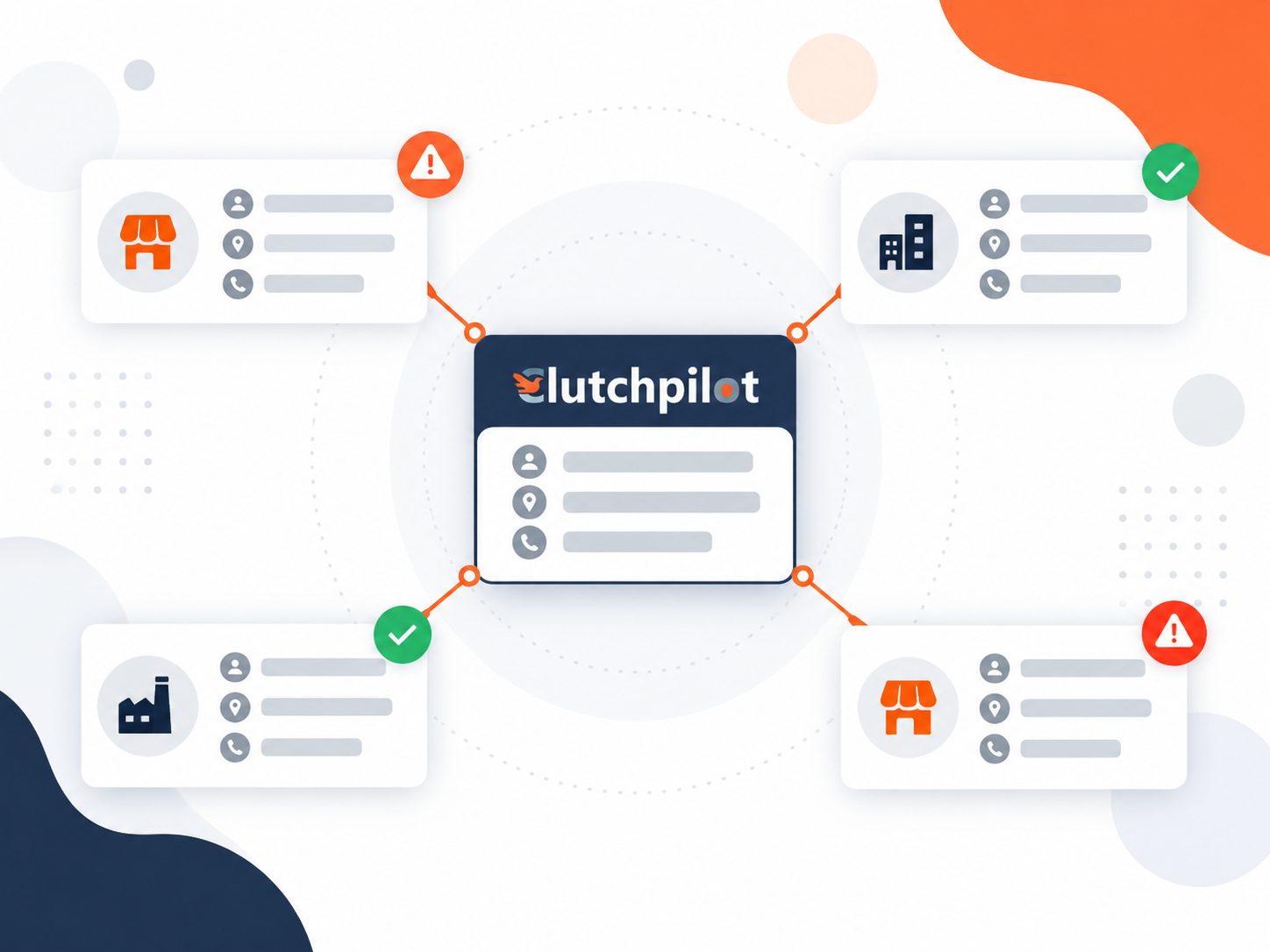
NAP stands for name, address and phone number. Consistency means those three details are identical everywhere, character for character.
This matters more than it sounds like it should, because directories copy from each other. An error introduced in one place gets replicated into others without anyone approving it, and untangling it later takes considerably longer than getting it right first.
The specific things that go wrong are small and boring:
- Apostrophes. "Kims Bakery" and "Kim's Bakery" are two businesses as far as a matching algorithm is concerned.
- Street abbreviations. Street, St and St. should not be mixed.
- Whether the official name includes "The", and whether it appends a location.
- Suite versus floor. Suite 1000 and 10th Floor are not interchangeable.
- Local number versus toll-free. A local number reassures customers that you are actually local.
There is also a customer-facing cost, not just a technical one. BrightLocal's research on what inaccurate business information does to customer trust found that people do not merely fail to find a business with wrong details. They stop trusting it.
Write your NAP once, exactly as it should appear, save it in a note, and paste from that note every single time.
Free, versus free until someone calls you
Every free directory monetises somehow. Knowing how tells you what to expect after you sign up.
Free with no meaningful upsell. Google Business Profile, Apple Business Connect, Bing Places. These exist because accurate business data makes the parent product better. Nobody is going to ring you.
Free tier with a genuine paid product alongside. Facebook, LinkedIn, BBB, Clutchpilot. There is a paid version, it is clearly separate, and the free tier keeps working if you ignore it.
Free listing, then a sales cadence. Yelp, Yellow Pages, Manta and a long tail of smaller directories. The listing is real and it stays free. You will also receive calls and emails about advertising, sometimes for years. Use a business number you are happy to have on a sales list.
Free submission, paid to be visible. Not on this list, deliberately. If a directory requires payment before anyone can find you, it is an advertising platform wearing a directory costume.
A 90-minute setup plan
If you have one afternoon, spend it like this.
- First 45 minutes: Google. Claim or create, complete every field, set the correct primary category, upload at least six real photographs, start verification.
- Next 15 minutes: Bing. Use the Google import. Confirm the details came across correctly.
- Next 15 minutes: Apple. Copy across from Google, add photos, submit for verification.
- Final 15 minutes: one more. Whichever tier two platform your customers actually use. Not two. One.
Then diarise fifteen minutes each quarter to check the hours are still right, add any new photographs and update holiday opening times before the holiday rather than after it.
Start with the three that matter
Fifteen platforms sounds like a project. It is not, because only three of them are compulsory and two of those take under an hour each.
Do Google, Bing and Apple this week. Add whichever industry directory your customers already use. Then do the rest of the list on a quiet afternoon, once, and get on with running the business.
If you want a review profile alongside those, listing on Clutchpilot is free and takes about twenty minutes.
Comments (0)