
Most advice about hiring a web developer assumes the thing that can go wrong is bad code. You pay someone, the site is slow or ugly or broken, and you have wasted your money.
That does happen. But in my experience it is not the expensive failure. The expensive failure is paying for a perfectly good website that you then cannot get hold of.
Reliability in a web project is three separate things, and they fail independently. Can they build it. Will they communicate while they are building it. And will you still control your own website once they are gone.
Almost every guide to this question tests the first two. The third one is the only one you cannot fix afterwards, so this article spends most of its time there.
What "reliable" actually means here
Worth separating out, because people use the word to mean only the first of these.
Competence. They can build what you need, at the quality you need, on something maintainable.
Conduct. They reply to messages, they hit dates, and when something slips they tell you before you notice.
Control. The domain is in your name, the hosting account is yours, you have the code, and you hold the logins.
A developer can be excellent on competence and conduct and still leave you in a terrible position on control, usually without any bad intent at all. It is simply how web projects get set up when nobody raises the question.
A developer who vanishes owing you nothing is survivable. A developer who vanishes holding your domain name is a different kind of problem.
Step 1: Write the brief before you talk to anybody
If you approach five developers without a written brief, you will get five quotes for five different projects. They are not comparable, and the cheapest one is usually the one that understood the least.
Twenty minutes of writing fixes this. Fill in these lines and send the same document to everybody.
A web project brief, in twelve lines
- What the site is for, in one sentence
- The single action you most want a visitor to take
- Page list, with a count. Five pages and fifteen pages are different projects
- Who writes the copy, and who supplies photographs
- Must-have functionality: booking, payments, forms, log-ins, multiple languages
- Integrations: your CRM, email platform, payment processor, booking tool
- CMS requirement, or no preference, or "I need to edit it myself without calling anyone"
- Who updates it after launch, and how comfortable that person is with technology
- Mobile and accessibility expectations
- Target launch date, and the reason behind that date
- Budget range
- What you already own: domain, hosting, logo, brand assets, photography
On the budget line, say the number. Withholding it does not produce a lower price, it produces five quotes for five imagined projects. A developer who knows you have eight thousand dollars will tell you what eight thousand dollars buys, which is the information you actually want.
That last line about what you already own matters more than it looks. Make a note now of whether you hold your domain and hosting, because it is the thread the rest of this article pulls on.
Step 2: Confirm the business exists before you look at the portfolio
Quick, and in that order, because a beautiful portfolio from an entity you cannot identify is worth very little.
You are looking for a registered business name or a real person's name, an address, a phone number that someone answers, and a trading history you can find somewhere other than their own website.
Operating as a sole proprietor with no registered company is completely normal. A great many excellent web developers are one person with a laptop and no corporate structure, and treating that as a warning sign would cost you most of the good ones.
What is a warning sign: a company name that returns nothing anywhere, or a name on the invoice that does not match the name on the proposal.
If you want the full version of this check, our guide to the nine checks that confirm a business is real covers it in ten minutes.
Step 3: Check the work, not the portfolio
A portfolio is a collection of images. The work is a collection of live URLs. Those are not the same thing and the difference is where a lot of hiring goes wrong.
Ask for live links rather than screenshots, then open them. A site that no longer exists, or that has visibly been rebuilt by somebody else since, is telling you something about how those relationships ended.
Ask which parts were theirs. Design, development, or one contribution among six people on an agency build. All three of those people can show you the same homepage and all three would be telling the truth.
Run two or three of their live sites through a free speed test. Google's PageSpeed Insights takes a minute. You are not auditing the score, and you should not reject somebody over a number. You are checking whether their finished work is broadly competent on a phone, which is where most of your visitors will be.
Look at what the sites are built on, or ask somebody who can. What you want to know is whether they build on something standard and portable, or on a proprietary system that only they can maintain.
That last point is the bridge to everything below. A website built on a platform nobody else can touch is a website you cannot take anywhere. That is a commercial arrangement dressed up as a technical choice, and it is worth understanding before you agree to it rather than after.
Step 4: Eight questions, and what the answers tell you
Ask these on a call. The answers sort candidates faster than any portfolio review.
1. Who registers the domain, and in whose name? Good: "Yours. I'll walk you through it, or you register it and add me." Red flag: "I'll handle all that, don't worry about it."
2. Whose hosting account will the site live on? Good: "Your account, your card, you give me access." Red flag: a monthly figure with no account in your name mentioned.
3. Will I have admin access from day one, or at handover? Good: "Whenever you want it." Red flag: "At the end, once everything's finished."
4. Where does the source code live, and do I get it? Good: a repository you can be added to, or a full export at handover. Red flag: vagueness, or "it's all on my machine."
5. What happens to the site if you stop trading? Good: a real answer involving where your assets sit and how you would reach them. Red flag: treating the question as rude.
6. What is included after launch, and what is billed separately? Good: a written split between fixing their own defects and doing new work. Red flag: "we'll sort it out as we go."
7. Who do I contact when the site goes down on a Friday evening? Good: an honest answer, including "nobody until Monday, and here's what I'd suggest instead." Red flag: an implied availability nobody could sustain.
8. Can you show me a site you handed over to another developer? This is the quiet one, and most candidates will never have been asked it. A developer who has cleanly handed a project to a successor is telling you they do not build hostages. Watch what the question does to the room.
Step 5: Who owns what
 Here is the part the other guides leave out, and it is the reason this article exists.
I checked the main results currently ranking for this question. The two longest run to three and four thousand words each and neither one tells you who owns your domain. The ownership question is not a technicality. It decides whether changing developer later is an afternoon of admin or a rebuild from scratch.
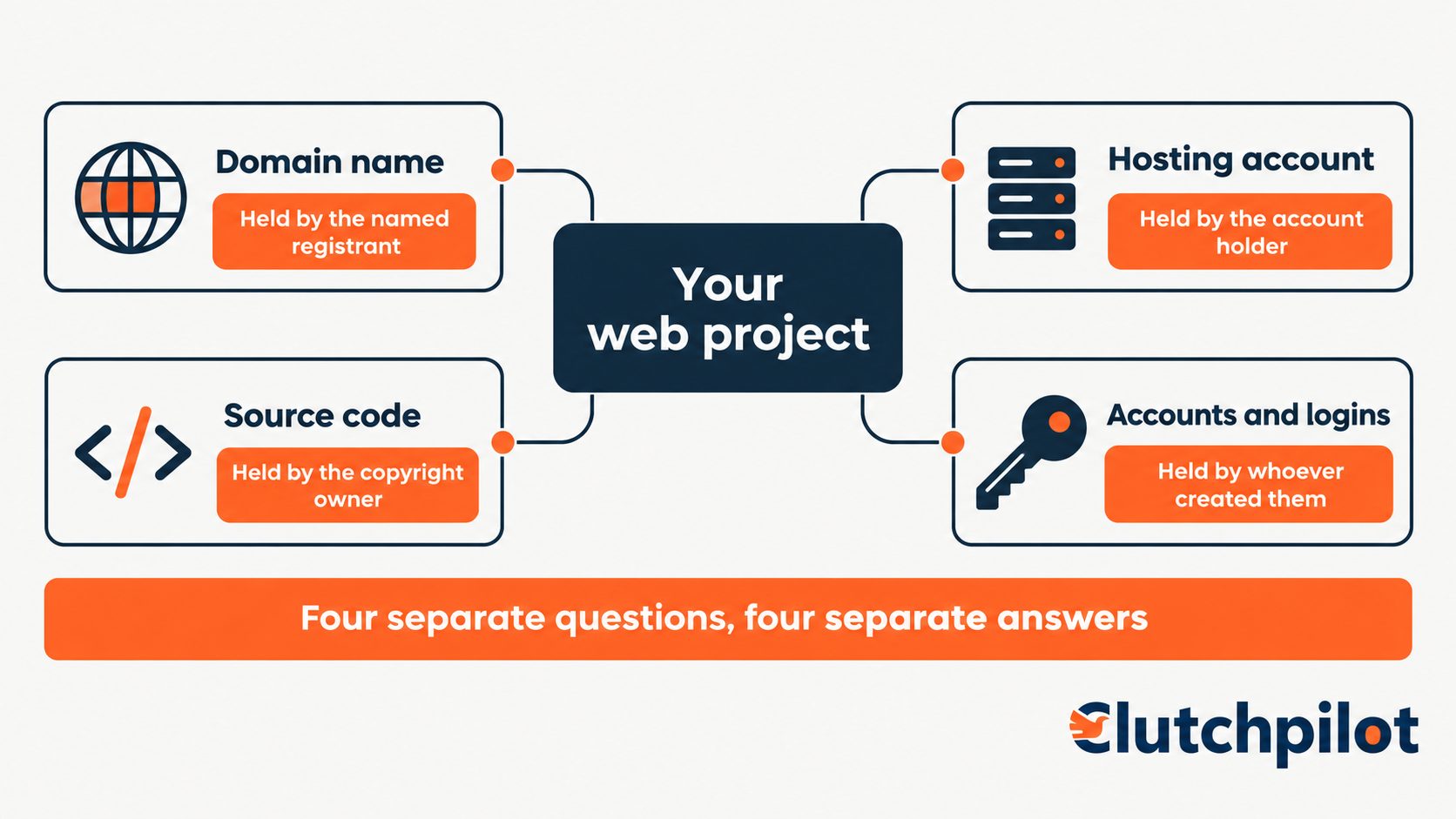
Four things need settling, and they are four separate things.
The domain name
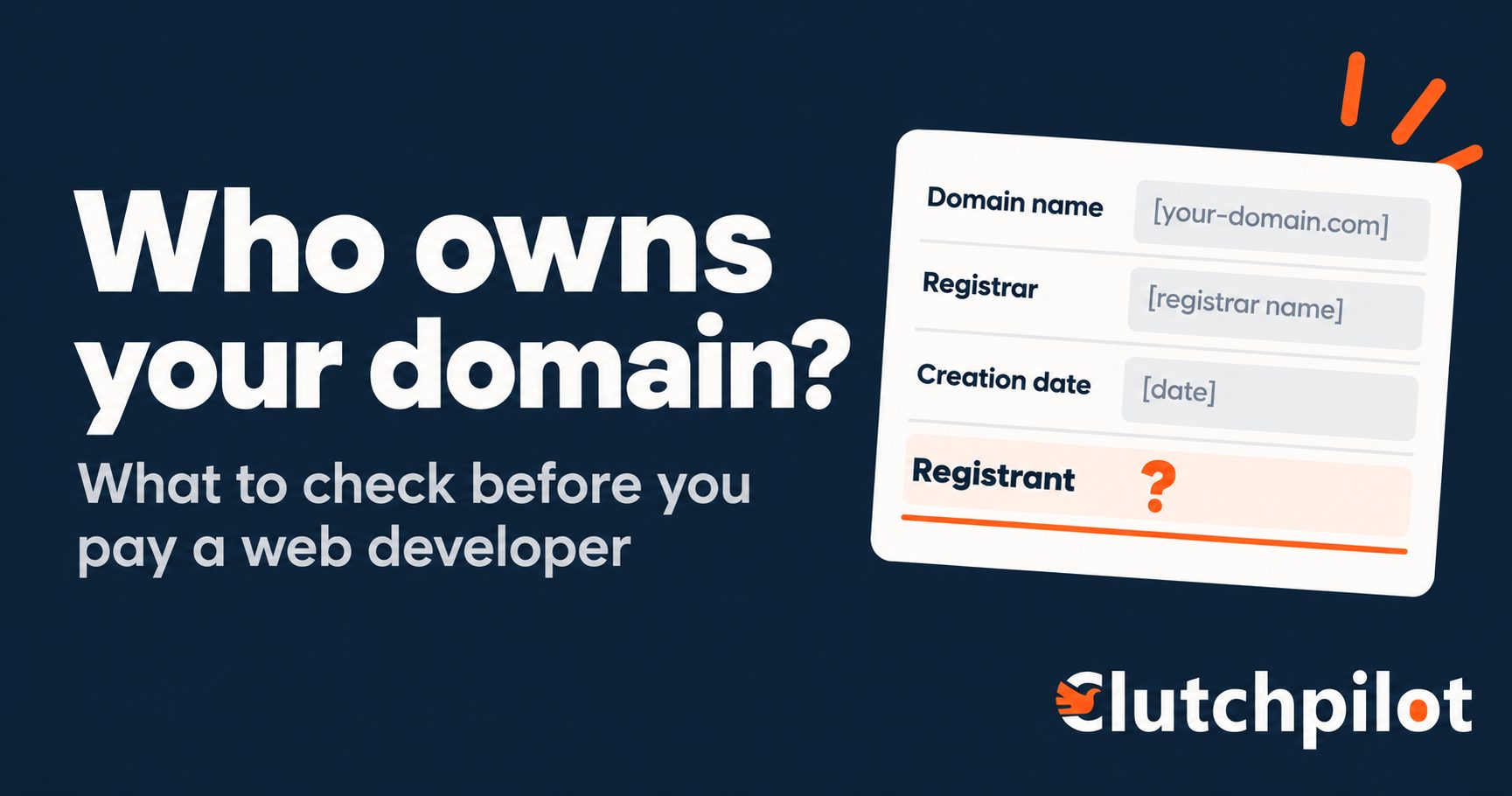
Your domain is a separate asset from your website. It is registered in somebody's name, and whoever that name belongs to controls it. If that name is your developer or their company, you do not own your domain. You are renting it from a supplier, and your website address depends on staying on good terms with them.
The check takes two minutes and almost nobody does it. Put your domain into ICANN's lookup tool and look up the domain's current registration data. Read the registrant field. That is who holds it.
If the domain does not exist yet, register it yourself before the project starts. It costs roughly the price of a sandwich and it removes this entire category of problem permanently. Then add your developer to the account.
If it already exists in their name, ask for it to be transferred to you. That is a defined process rather than a favour, and ICANN's summary of registrant rights and responsibilities sets out what your registrar owes you in the way of clear information about how transfers, renewals and management work at their end. A developer who resists a transfer request is answering question 5 above whether they meant to or not.
Hosting and DNS
Your hosting account should be in your name, with your payment card on it, and you grant your developer access to it. Not the other way around.
When their account holds your site, any disagreement between you, including an ordinary billing dispute, can take your website offline. You also cannot see what you are paying for.
Bundled or reseller hosting inside a monthly fee is where this usually happens, and it is not automatically a bad deal. Plenty of developers offer genuinely good managed hosting and it saves non-technical owners real pain. The requirement is simply that it is a disclosed choice you agreed to, rather than something you discover eighteen months later when you want to leave.
The source code
In the US, paying for code does not automatically make you its owner. The default is that the person who wrote it holds the copyright.
Work made for hire transfers ownership automatically for employees working within the scope of their employment. For work commissioned from a contractor it applies only when both things are true: the parties expressly agree in a signed written instrument that it is a work made for hire, and the work falls inside one of nine specific statutory categories. Those categories, per the US Copyright Office's nine categories for works made for hire, are a contribution to a collective work, part of a motion picture or other audiovisual work, a translation, a supplementary work, a compilation, instructional text, a test, answer material for a test, or an atlas.
Custom website code does not sit comfortably in any of those. Whether you own it therefore depends on what your agreement actually says. Without a written assignment you may hold a licence to use the work rather than ownership of it, and the difference shows up the first time you want to hand it to somebody else or sell the business.
So: get a written copyright assignment, signed, covering the deliverables and the source files, ideally before work begins. This is a contract clause and not an email.
This section describes how US copyright law generally works and is not legal advice. For a significant project, have a lawyer read the agreement.
The accounts around the site
These get created during a build and then quietly stay in the developer's name, which nobody notices until it matters.
Analytics, Search Console, your Google Business Profile, business email, the payment processor, any CDN or security service. Each one in your name, with their access granted rather than owned.
Search Console and analytics are the two people most often lose, and losing them means losing your historical traffic data, which you cannot recreate.
Step 6: Structure the payments around delivered work
A deposit is normal. The full fee before anything exists is not.
Tie payments to things that have been delivered, not to dates on a calendar. "Payment on the 15th" can leave you fully paid for work that has not happened. "Payment on the approved design" cannot.
A workable shape for a small build:
- Deposit on signature
- A payment when the design is approved
- A payment when a working site exists on a staging URL
- Final payment at handover, with access transferred, not at launch
That last line is the one worth arguing for. Launch and handover are not the same event, and the gap between them is exactly where control quietly stays with the developer.
On what any of this should cost, that is a question with real numbers behind it and it deserves its own treatment rather than a guessed range here.
Step 7: Agree the handover before you start
The conversation about how the relationship ends belongs at the beginning, while everybody is pleased with each other. Raised at the end, it sounds like an accusation. Raised at the start, it is just project admin.
Name these in the agreement:
- Admin credentials for the site and the CMS
- Repository access, or a complete code export
- A list of every third-party account created for the project, with its login
- Documentation for anything custom or unusual
- Written confirmation that the domain and hosting sit in your name
You are not planning for them to fail. You are buying the ability to leave, which is what makes staying a choice rather than a situation.
Red flags specific to web projects
Separate from the general warning signs of hiring anybody. These six are particular to websites, and several have a legitimate version, so the honest form is noted alongside.
The domain gets registered in their name and nobody mentions it. No honest version. Even when the intent is convenience, you should have been asked.
"I'll host it for you" with no account in your name. Honest version: disclosed managed hosting you agreed to, with a stated path to move it.
A proprietary CMS or page builder only they support. Honest version: a mainstream platform they happen to specialise in. The test is whether another developer could pick it up.
No staging site, with changes pushed straight to the live site. Honest version: a very small brochure site where the overhead is genuinely disproportionate. On anything with a form or a payment, there is no honest version.
Admin access promised "at the end." Honest version: a short delay for genuine technical reasons, stated plainly with a date.
A monthly fee with no written statement of what it covers. Honest version: a retainer with a defined scope. The problem is never the fee, it is the absence of the definition.
Your handover checklist
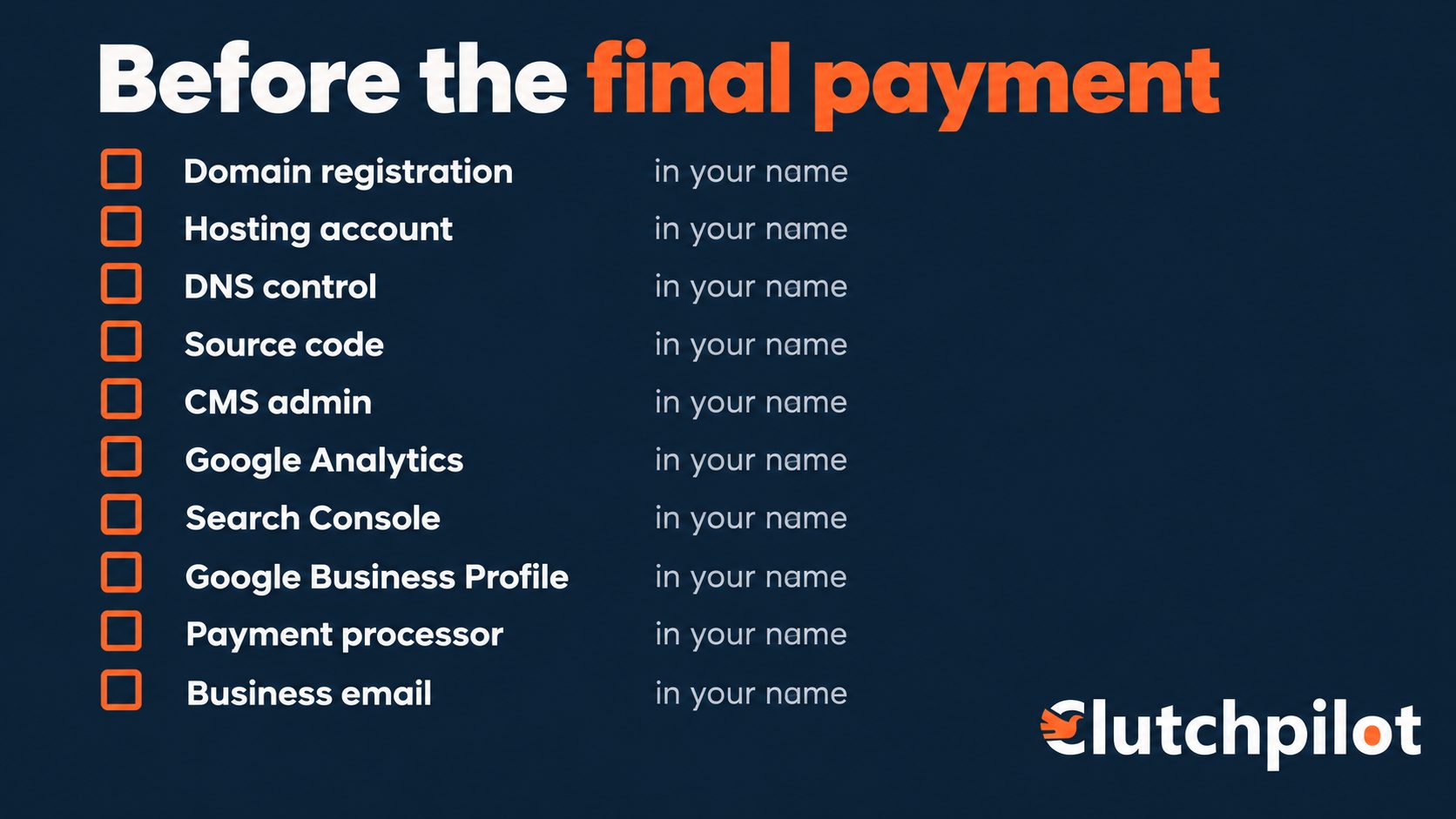
Settle each row before the final payment, not after.
| Asset | Who should hold it |
|---|---|
| Domain registration | You, as named registrant |
| Hosting account | You, with your payment method |
| DNS and nameserver control | You, developer granted access |
| Source code repository | You, or a full export at handover |
| CMS administrator account | You, from day one |
| Google Analytics | Your account, developer granted access |
| Google Search Console | Your account, developer granted access |
| Google Business Profile | You, as owner |
| Payment processor | You, in your business name |
| Business email | You |
The three to settle before you pay
The domain in your name, confirmed by a lookup rather than a promise.
Payments tied to delivered work, with the final one at handover rather than launch.
The handover written down before anybody starts.
Everything else about hiring a web developer can be corrected later. Those three cannot.
Comments (0)